Node.js Installation Guide
JavaScript Runtime Environment Setup
Setup time: 10-15 minutes
Why Node.js?
- JavaScript runtime built on Chrome's V8 engine
- Run JavaScript on the server-side
- Build scalable network applications
- Includes npm package manager
Instructions:
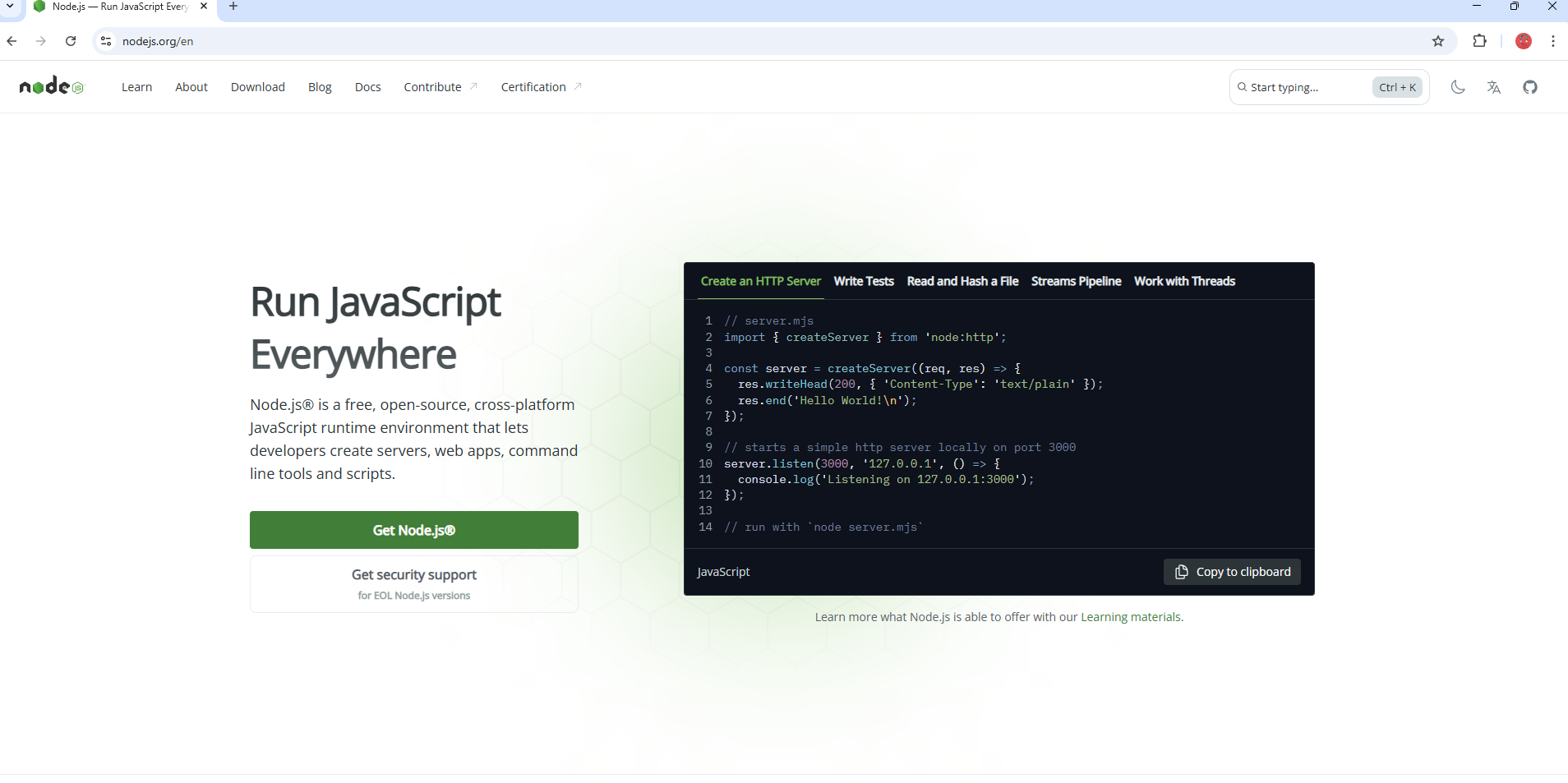
- 1Navigate to nodejs.org
- 2The website will automatically detect your operating system
- 3You will see download options for your platform
- 4Choose the appropriate version for your system
Visual Guide:
Alternative Installation
NVM (Node Version Manager)
nvm install lts
Chocolatey Package Manager
choco install nodejs-lts
Next Steps
Learn JavaScript
Master JavaScript fundamentals
Install VS Code
Set up your development environment
Build Your First API
Create a simple Express.js server
Installation Complete!
Node.js is now installed and ready for JavaScript development. Start building amazing applications with the power of server-side JavaScript!
If you encounter any errors during installation, please contact us for support.
What's Next?
With Node.js installed, continue building your development environment:
🛠️ Node.js Ecosystem & Essential Tools
Web Frameworks
- •Express.js - Fast, minimalist web framework
- •Fastify - High performance, low overhead
- •NestJS - Progressive Node.js framework
- •Koa.js - Next generation web framework
Database Libraries
- •Mongoose - MongoDB object modeling
- •Prisma - Next-generation ORM
- •Sequelize - SQL ORM for Node.js
- •TypeORM - TypeScript ORM
Development Tools
- •Nodemon - Auto-restart development server
- •PM2 - Production process manager
- •ESLint - JavaScript linting utility
- •Jest - JavaScript testing framework
🚀 Performance & Optimization
Node.js Performance Tips
- •Use the latest LTS version for best performance and security
- •Enable clustering for CPU-intensive applications
- •Use async/await for better memory management
- •Profile your applications with built-in tools
- •Implement connection pooling for databases
- •Use caching strategies (Redis, Memcached)
Memory Management
- •Monitor memory usage with process.memoryUsage()
- •Avoid memory leaks by properly handling event listeners
- •Use streams for large data processing
- •Implement proper garbage collection strategies
- •Set appropriate heap size limits
- •Use worker threads for CPU-intensive tasks
🔒 Security Best Practices
Application Security
- •Keep Node.js and dependencies updated
- •Use helmet.js for security headers
- •Implement rate limiting and CORS
- •Validate and sanitize user input
- •Use HTTPS and secure cookies
Environment Security
- •Use environment variables for secrets
- •Implement proper error handling
- •Use JWT for authentication
- •Implement logging and monitoring
- •Run security audits regularly
Common Use Cases
🚀 Backend APIs & Web Servers
Build RESTful APIs, GraphQL servers, and real-time applications with Express.js, Fastify, or NestJS frameworks. Handle authentication, database connections, and middleware efficiently.
⚡ Full-Stack Development
Power modern web frameworks like Next.js, Nuxt.js, and SvelteKit for both frontend and backend development. Server-side rendering, API routes, and static site generation.
🛠️ Build Tools & Automation
Run Webpack, Vite, Gulp, and other build tools. Automate tasks with scripts, compile TypeScript, bundle assets, and optimize your development workflow.
📦 CLI Tools & Utilities
Create command-line tools, automation scripts, and developer tooling with Node.js packages. Build interactive CLIs with inquirer, commander, and yargs.
🔄 Real-time Applications
Develop chat applications, live updates, and collaborative tools using WebSockets, Socket.io, and event-driven architecture for real-time communication.
🤖 Microservices & APIs
Build scalable microservices architecture, implement service discovery, load balancing, and create distributed systems with Node.js and Docker containers.
🎮 Game Development
Create multiplayer games, real-time game servers, and interactive experiences using Socket.io, WebRTC, and game engines like Phaser.js with Node.js backends.
🤖 IoT & Hardware
Control hardware devices, sensors, and IoT applications using Node.js with libraries like Johnny-Five, serialport, and Raspberry Pi integration.
📊 Data Processing
Process large datasets, implement ETL pipelines, stream processing, and data analysis using Node.js streams, worker threads, and data processing libraries.
🐛 Debugging & Development Tools
Built-in Debugging
- •Node.js Inspector for Chrome DevTools
- •console.log() and console.debug()
- •util.debuglog() for conditional logging
- •process.env.NODE_DEBUG for modules
Profiling Tools
- •--prof flag for V8 profiling
- •clinic.js for performance analysis
- •0x for flame graph generation
- •autocannon for load testing
Monitoring
- •PM2 for process monitoring
- •Winston for structured logging
- •New Relic for APM
- •Prometheus for metrics
📖 Learning Resources
Official Documentation
Tutorials & Courses
💡 Pro Tip: Use node --version regularly to check your Node.js version and keep it updated for security and performance improvements.
🔧 Troubleshooting Common Issues
❌ "node is not recognized as an internal or external command"
Solution: Node.js is not in your system PATH. Reinstall Node.js and ensure "Add to PATH" is checked, or manually add the Node.js installation directory to your system PATH.
setx PATH "%PATH%;C:\Program Files\nodejs\"❌ "EACCES: permission denied" errors
Solution: Change npm's default directory or use a Node version manager like nvm. Avoid using sudo with npm.
npm config set prefix ~/.npm-global⚠️ "Module not found" errors
Solution: Install missing dependencies, check package.json, or clear npm cache and reinstall node_modules.
npm cache clean --force && rm -rf node_modules && npm install🔄 "Port already in use" errors
Solution: Kill the process using the port or use a different port. Find and terminate the process.
netstat -ano | findstr :3000 && taskkill /PID [PID] /F🚀 Deployment & Production Considerations
Production Environment Setup
Environment Variables
Configure production settings using environment variables for database connections, API keys, and application settings. Never hardcode sensitive information in your source code.
NODE_ENV=production PORT=3000 DB_URL=mongodb://...Process Management
Use PM2 or similar process managers to ensure your Node.js applications restart automatically after crashes, handle clustering, and provide monitoring capabilities for production deployments.
pm2 start app.js --instances maxDeployment Platforms
Cloud Platforms
AWS, Google Cloud, Azure, DigitalOcean for scalable hosting
Platform as a Service
Heroku, Vercel, Netlify for simplified deployment workflows
Containerization
Docker containers for consistent deployment across environments